
Best Heat Sink for Raspberry Pi?
- Yongxing
- 25 Apr ,2026
Are you tired of your Raspberry Pi slowing down under heavy workloads? Overheating can silently ruin performance.
Choosing the right heat sink for your Raspberry Pi ensures it runs efficiently, stays cool, and prevents thermal throttling even under heavy use.
Finding the perfect solution might seem tricky, but with the right guidance, you can make an informed decision and keep your Pi safe.
How to pick the best Raspberry Pi heat sink?
Overheating often goes unnoticed until your Pi slows down or crashes. A bad heat sink can make this worse.
The best heat sink is determined by its material, size, and compatibility with your Raspberry Pi model. Aluminum and copper are top choices.
Material matters
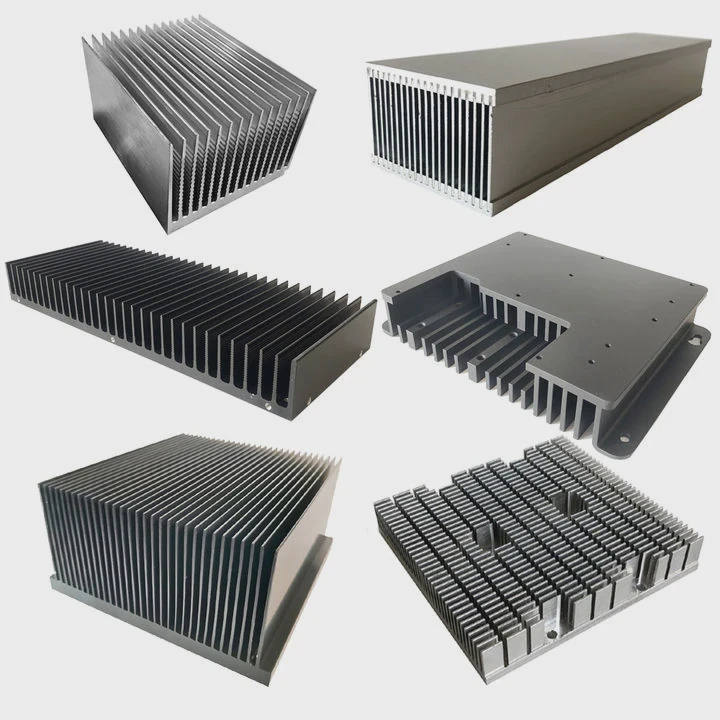
Aluminum heat sinks are lightweight and affordable. They conduct heat well but not as efficiently as copper. Copper heat sinks have higher thermal conductivity, pulling heat faster, but they are heavier and more expensive. Some kits use a mix of aluminum and copper to balance performance and cost.
Size and design
A larger heat sink covers more surface area, spreading heat away from the chip. Fins increase airflow and improve cooling. However, if the heat sink is too big, it may block other components or make case installation difficult.
Compatibility
Raspberry Pi models have different layouts. Make sure the heat sink fits the specific CPU, RAM, or other chips you want to cool. Some kits provide multiple pieces for CPU, RAM, and even voltage regulators.
Thermal adhesive or pads
Many heat sinks use thermal adhesive or pads. Adhesive sticks better but can be messy. Pads are easier to install and remove but may have slightly lower heat transfer.
| Material | Thermal Conductivity (W/m·K) | Pros | Cons |
|---|---|---|---|
| Aluminum | 205 | Light, affordable | Lower heat transfer |
| Copper | 385 | Excellent cooling | Heavy, costly |
| Aluminum-Copper combo | 300 approx | Balanced performance | Price higher than pure aluminum |
Practical tips
- Measure space in your case before choosing a big heat sink.
- Check if fans or passive cooling will work with your chosen heat sink.
- Read user reviews for thermal performance data.
Picking the right heat sink is not just about performance; it’s about fitting your Pi’s needs, budget, and available space.
Why does Raspberry Pi need cooling?
Raspberry Pi devices are compact, and their chips can get very hot. Heat slows down performance and can damage the board over time.
Cooling is necessary because it prevents thermal throttling, keeps performance consistent, and extends the Pi’s lifespan.
The impact of heat
When the CPU or GPU gets too hot, the Raspberry Pi automatically reduces its clock speed to avoid damage. This process is called thermal throttling. Without proper cooling, tasks like gaming, media playback, or compiling code become slower.
Environmental factors
Room temperature, case ventilation, and workload all affect heat levels. In hot environments, heat sinks alone might not be enough, and active cooling with a fan is better.
Long-term reliability
Repeated overheating can shorten the life of your Pi. Components may fail or show inconsistent behavior. Keeping your Raspberry Pi cool improves reliability, especially for projects that run 24⁄7 like servers or media centers.
Cooling options
- Passive cooling: Heat sinks alone. Works well for normal workloads.
- Active cooling: Heat sinks plus fans. Necessary for overclocking or high-load tasks.
- Hybrid cooling: Combining heat sinks, fans, and ventilation for maximum performance.
| Cooling Type | Noise | Performance | Best Use |
|---|---|---|---|
| Passive | Silent | Medium | Standard use |
| Active | Low to medium | High | Gaming, heavy workloads |
| Hybrid | Low | Very high | Overclocking, servers |
Understanding why the Pi needs cooling helps to choose the right heat sink and decide if a fan is required.
Where should heat sinks be placed on Pi?
Placing heat sinks in the wrong spots reduces their effectiveness. Knowing where to put them is key.
Heat sinks should cover the CPU, RAM, and voltage regulators to manage heat effectively.
Key components to cool
- CPU: The primary source of heat. A dedicated heat sink is essential.
- GPU: On some models, GPU is integrated with CPU. In others, a separate sink may be needed.
- RAM: Modern Pi boards have RAM chips that can get hot. Small heat sinks help prevent throttling.
- Voltage regulators: These can get warm during heavy use. Small sinks or thermal pads prevent overheating.
Installation tips
- Clean the chip surface with alcohol to remove dust and grease.
- Apply thermal paste or adhesive pad if needed.
- Press the heat sink firmly for a few seconds to ensure contact.
- Avoid covering pins or connectors that need access.
Airflow considerations
Even with heat sinks, good airflow improves cooling. Case vents or small fans ensure heat is carried away, not trapped around the board.
Layout examples
- CPU: Largest heat sink
- RAM: Medium-sized heat sinks
- Voltage regulators: Small heat sinks or thermal pads
Proper placement maximizes heat dissipation, keeping all critical components below thermal limits.
Which kits provide best cooling results?
Not all Raspberry Pi cooling kits perform equally. Some combine heat sinks and fans for optimal results.
The best kits include multiple heat sinks for CPU, RAM, voltage regulators, and sometimes a fan for active cooling.
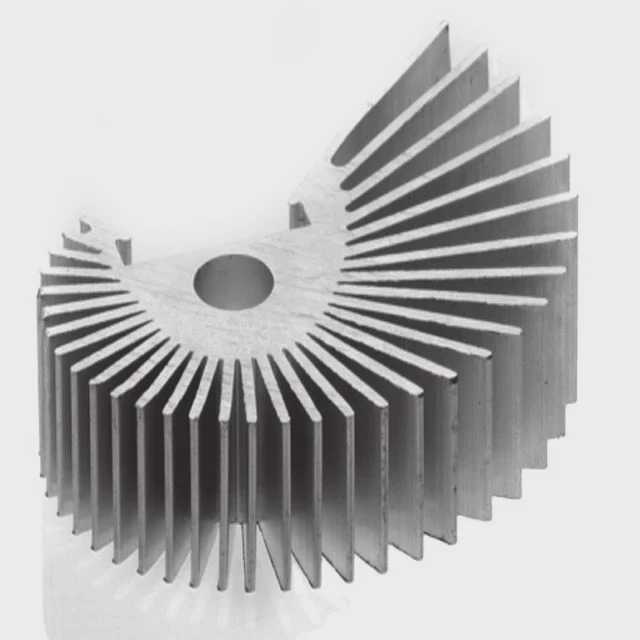
Popular kit features
- Multiple heat sinks of varying sizes
- Small fan that mounts directly on the Pi
- Thermal adhesive pads for easy installation
- Low noise operation
Performance comparison
Some kits offer extreme cooling, useful for overclocking or running multiple applications at once. Others are more compact, designed for silent media center use.
Recommended kits
- Aluminum + copper hybrid kit: Covers CPU, RAM, and regulators, high heat transfer.
- Active fan kit: Small fan plus heat sinks for 24⁄7 server projects.
- Passive compact kit: Only CPU and RAM heat sinks, ideal for media players.
Practical considerations
- Check Pi model compatibility: Raspberry Pi 3, 4, or newer versions.
- Assess your project: Media center vs. 24⁄7 server vs. gaming.
- Noise sensitivity: Fans create slight noise, important for quiet setups.
Table of kits
| Kit Type | Components | Cooling Effect | Noise Level |
|---|---|---|---|
| Hybrid Aluminum-Copper | CPU, RAM, VR | High | Low |
| Active Fan Kit | Heat sinks + fan | Very high | Medium |
| Passive Kit | CPU + RAM only | Medium | Silent |
By choosing the right kit, you ensure the Pi maintains stable temperatures and avoids throttling, even under heavy workloads.
Conclusion
Choosing the best heat sink depends on material, placement, and whether active cooling is needed. Proper cooling prevents throttling, improves performance, and extends your Raspberry Pi’s life.




