
Do I Need a Heat Sink on SSD?
- Yongxing
- 23 Mar ,2026
Many users install a fast SSD and expect stable speed. But after some time, performance drops, and the reason is often hidden heat that builds up inside a small space.
Yes, some SSDs need a heat sink, especially high-speed NVMe drives under heavy workloads. A heat sink helps reduce temperature, prevent thermal throttling, and keep performance stable during long operations.
Many people focus only on speed and storage size. That is understandable. However, thermal control is also part of real performance. A fast SSD that overheats will not stay fast. So understanding this topic helps avoid hidden performance loss.
Why Do Some SSDs Require Heat Sinks?
Many users notice that SSD speeds drop after long file transfers. This creates confusion because the drive is advertised as very fast, yet it cannot maintain that speed.
Some SSDs require heat sinks because their controllers and memory generate high heat during heavy workloads. Without proper cooling, the drive will reduce speed to protect itself.
Modern SSDs, especially NVMe models, are designed for high performance. This performance comes with a cost: heat. The controller chip handles complex data tasks. It manages reading, writing, caching, and error correction. These tasks create heat quickly, especially during continuous workloads.
Speed and heat relationship
The faster the SSD, the more heat it produces. SATA SSDs operate at lower speeds, so they generate less heat. NVMe SSDs, especially PCIe Gen4 and Gen5, move data at much higher speeds. This increased activity leads to higher thermal output.
When a system performs light tasks, such as browsing or document editing, the SSD remains relatively cool. However, during heavy workloads like gaming installs, video editing, or large data transfers, temperature rises quickly.
What is thermal throttling
Thermal throttling is a safety feature. When the SSD reaches a certain temperature, it automatically reduces speed. This prevents damage but also impacts performance.
Here is a simple comparison:
| Temperature state | SSD behavior |
|---|---|
| Low temperature | Full performance maintained |
| Moderate temperature | Stable performance |
| High temperature | Speed begins to drop |
| Critical temperature | Strong throttling occurs |
This behavior is not a defect. It is intentional. But it reduces user experience.
Why environment matters
Even a high-quality SSD can overheat if placed in a poor environment. Limited airflow, compact cases, or proximity to a GPU can increase temperature significantly.
When heat sinks become necessary
Heat sinks become important when three factors combine:
- High-speed SSD
- Continuous heavy workload
- Limited airflow
When these conditions exist, heat becomes a limiting factor rather than a minor detail.
How Does a Heat Sink Reduce SSD Temperature?
Some users install a heat sink without understanding how it works. This leads to incorrect installation or unrealistic expectations.
A heat sink reduces SSD temperature by transferring heat away from hot components and spreading it across a larger surface, allowing heat to dissipate more efficiently into the surrounding air.
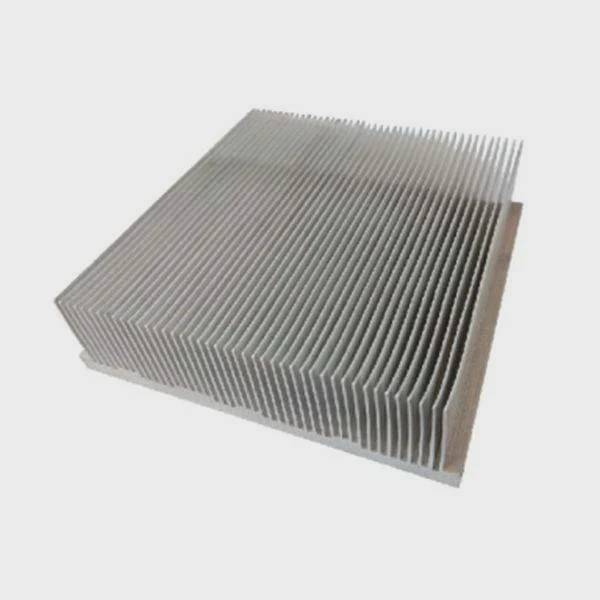
A heat sink is a passive cooling device. It does not generate cooling. Instead, it improves heat movement.
The heat transfer process
The cooling process follows three steps:
- Heat is generated by the SSD controller and memory
- Thermal pad transfers heat to the heat sink
- Heat sink spreads and releases heat into the air
Without a heat sink, heat remains concentrated in a small area. With a heat sink, heat spreads out and becomes easier to dissipate.
Why surface area is important
A heat sink increases the surface area exposed to air. More surface area means more contact with airflow. This improves cooling efficiency.
Flat SSD surfaces have limited heat dissipation. Heat sinks often include fins or grooves to increase surface area. Even minimal airflow becomes more effective with these designs.
Role of thermal interface materials
Thermal pads play a key role. SSD chips and heat sinks are not perfectly flat. Small air gaps exist between them. Air is a poor conductor of heat.
Thermal pads fill these gaps and improve heat transfer. Without a good thermal interface, even a large heat sink will not perform well.
Here is a simple breakdown:
| Component | Function | Importance |
|---|---|---|
| SSD controller | Main heat source | Generates most heat |
| Thermal pad | Transfers heat | Ensures contact |
| Heat sink | Spreads heat | Reduces hot spots |
| Airflow | Removes heat | Completes cooling cycle |
Real performance impact
The main benefit of a heat sink is stability. It allows the SSD to maintain high speed for longer periods. This is especially important for long tasks such as:
- Large file transfers
- Video rendering
- Game installations
- Data processing
The heat sink does not increase peak speed. Instead, it prevents performance drops.
Limitations of heat sinks
A heat sink alone cannot solve all thermal issues. Poor airflow or extreme conditions can still lead to overheating. Also, incorrect installation reduces effectiveness.
A thin, well-installed heat sink often performs better than a large, poorly installed one.
Where Is the SSD Heat Sink Usually Installed?
Many users feel unsure about where to install a heat sink. The small size of SSDs and crowded layouts can make the process confusing.
The SSD heat sink is usually installed directly on top of the SSD, covering the controller and memory chips, typically within the motherboard’s M.2 slot area.
The most common SSD form factor that uses heat sinks is the M.2 NVMe drive. These drives are compact and generate more heat.
Typical installation location
The heat sink is placed on the top side of the SSD. This side contains the main components, including the controller and NAND chips.
Many modern motherboards include built-in M.2 heat spreaders. These act as heat sinks and simplify installation.
Common installation methods
| Method | Description | Usage |
|---|---|---|
| Motherboard cover | Built-in heat sink | Common in modern boards |
| Clip-on heat sink | Attached with clips or bands | Aftermarket solutions |
| Adhesive pad | Simple attachment | Limited space scenarios |
| Pre-installed | Factory-installed heat sink | High-end SSD models |
Installation considerations
Correct installation requires proper contact. The thermal pad must sit firmly between the SSD and heat sink.
Too much pressure can damage components. Too little pressure reduces heat transfer.
Space and clearance
Space is an important factor. Large heat sinks may not fit in small systems. They can interfere with GPUs or case panels.
Compact systems require low-profile heat sinks. This ensures compatibility and proper airflow.
Different system types
Desktop systems usually provide more flexibility. Installation is straightforward. Laptops, however, have limited space. Many laptops cannot support thick heat sinks.
In such cases, thin thermal solutions are preferred.
Practical placement rule
The heat sink should cover the hottest part of the SSD, which is usually the controller. Good contact matters more than size.
A properly installed small heat sink can perform better than a larger one with poor contact.
Which SSD Types Benefit Most from Heat Sinks?
Some users assume all SSDs need heat sinks. Others think none do. Both views are incorrect. The need depends on the SSD type and usage.
High-speed NVMe SSDs, especially PCIe Gen4 and Gen5 models, benefit the most from heat sinks, particularly under heavy workloads or in compact systems.
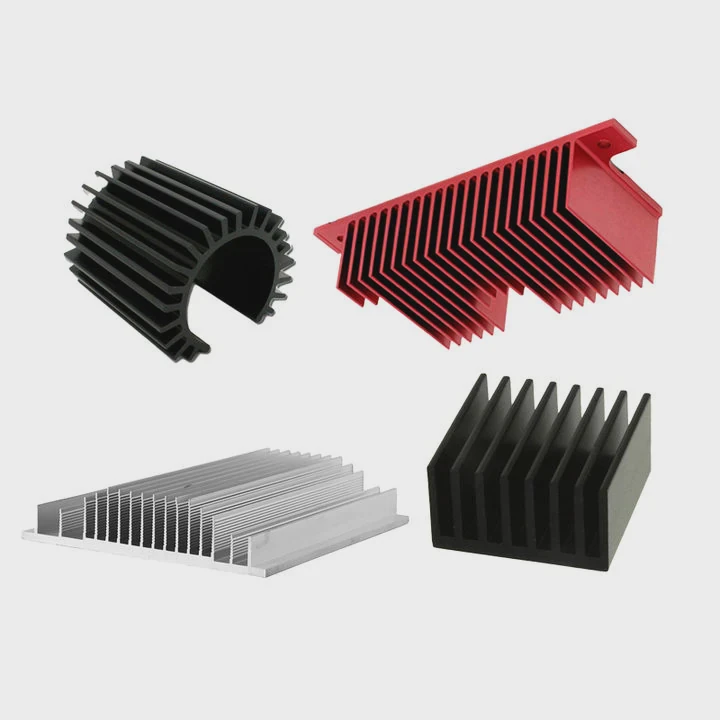
SSDs vary widely in performance and thermal behavior. Understanding these differences helps make better decisions.
SSD type comparison
| SSD type | Heat sink need | Reason |
|---|---|---|
| 2.5-inch SATA | Low | Lower speed and larger size |
| M.2 SATA | Low to medium | Compact but less demanding |
| NVMe Gen3 | Medium | Moderate heat under load |
| NVMe Gen4 | High | Increased speed and heat |
| NVMe Gen5 | Very high | Extreme performance and heat |
Workload impact
Workload plays a major role. Light tasks do not generate much heat. Heavy tasks increase thermal demand.
Users who benefit most include:
- Gamers installing large games
- Video editors handling high-resolution footage
- Engineers processing large datasets
- Developers working with large builds
These workloads keep the SSD active for long periods.
System design influence
System layout affects temperature. Compact systems trap heat more easily. Even mid-range SSDs can overheat in small enclosures.
Good airflow reduces the need for additional cooling. Poor airflow increases it.
When heat sinks are less necessary
Some SSDs do not require heat sinks. Examples include:
- Basic SATA drives
- Light-use office systems
- Systems with strong airflow
- SSDs already covered by motherboard heat spreaders
In these cases, additional cooling may not provide noticeable benefits.
Practical selection strategy
A simple approach helps guide decisions:
When to use a heat sink
- High-performance NVMe SSD
- Long-duration workloads
- Limited airflow environments
- High ambient temperature
When it may not be needed
- Low-speed SSD
- Short burst workloads
- Well-ventilated systems
- Built-in cooling already present
This approach avoids overdesign and unnecessary cost.
Conclusion
Not every SSD needs a heat sink, but many modern NVMe drives benefit from one. When speed and workload increase, proper cooling helps maintain stable performance and protects long-term reliability.




